Kiboko Payroll: Affordable Payroll Software for South African Small Businesses
Looking for affordable payroll software in South Africa? Discover how Kiboko Payroll helps small businesses manage employees, payroll calculations, PAYE, UIF, SDL, payslips and leave, with plans starting at R49 per month.
By Kiboko Payroll · Published
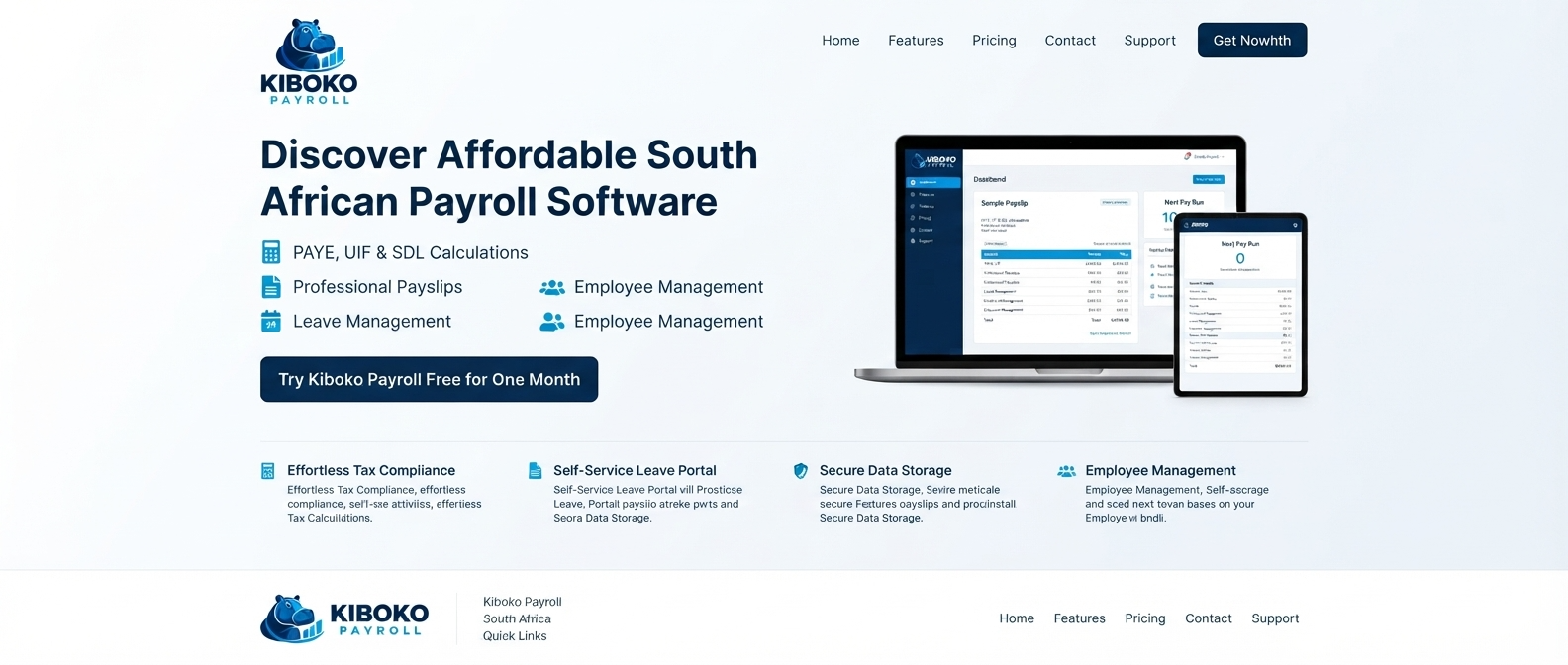
Kiboko Payroll: Affordable Payroll Software for South African Small Businesses
Managing payroll is one of those essential business tasks that needs to be done correctly every month. You need to keep employee records organised, calculate salaries and deductions, prepare payslips and make sure your payroll information is ready when payment day arrives.
For small businesses in South Africa, the challenge is finding payroll software that provides the features they need without adding unnecessary costs.
Kiboko Payroll is affordable payroll software built for South African businesses, bringing employee management, payroll runs, PAYE, UIF, SDL, payslips and leave management together in one place.
With paid plans starting at just R49 per company per month and a first month free, it gives businesses a practical way to manage everyday payroll administration.
What is Kiboko Payroll?
Kiboko Payroll is an online payroll management platform designed to help South African businesses organise their employee information and payroll processes.
Instead of maintaining disconnected spreadsheets and manually preparing every payroll document, businesses can manage key payroll activities in one workspace.
The platform includes tools for:
- Employee and department management
- Payroll runs with a draft-to-paid workflow
- PAYE, UIF and SDL calculations using configured tax settings
- Employee allowances and recurring deductions
- Payslip generation and PDF downloads
- Monthly EMP201 summaries in PDF or Excel
- Leave requests, approvals and leave balances
- Role-based access for administrators, payroll managers and employees
- Support tickets for submitting and tracking questions
Whether you are running a small company with a handful of employees or managing a growing team, the aim is to make routine payroll administration more organised and manageable.
Why choose affordable payroll software?
Payroll software should fit your business, not consume a disproportionate part of your budget.
Small businesses often start with spreadsheets or manual calculations. These may seem manageable initially, but they can become increasingly difficult to maintain as employee numbers grow.
Common challenges include:
- Recalculating deductions whenever salaries change
- Keeping employee details consistent across multiple files
- Preparing payslips every month
- Tracking leave balances and employee requests
- Summarising payroll information for monthly declarations
- Finding and correcting spreadsheet errors
Payroll software can help bring these activities together, reduce repetitive work and improve record organisation.
Kiboko Payroll focuses on practical payroll essentials at a price designed to be accessible to small businesses.
Features designed for South African payroll
1. Payroll runs
Prepare payroll for a selected pay period, calculate results and review them before completing the payroll workflow.
A draft-to-paid process helps keep payroll activities organised and gives you an opportunity to review results before marking a run as paid.
2. PAYE, UIF and SDL
South African employers may need to account for several statutory payroll obligations.
Kiboko Payroll provides payroll calculations for PAYE, UIF and SDL using configured tax settings.
Correct calculations depend on employee information, remuneration, applicable statutory rules and the accuracy of payroll configuration. Employers should review payroll results and confirm current requirements with the relevant authorities.
For official information, visit SARS.
3. Employee payslips
Employees need a clear record of their earnings and deductions.
Kiboko Payroll supports payslip generation and PDF downloads, helping businesses provide payroll information in a consistent format.
A payslip can show information such as gross earnings, deductions and net pay. The actual amounts depend on the employee's circumstances and the payroll period.
Learn more in our guide: How to Create a Payslip in South Africa.
4. Employee management
Keep employee profiles, departments and payroll details organised in one place.
Having employee information together makes it easier to maintain payroll records and prepare for recurring payroll runs.
5. Allowances and deductions
Employee remuneration may include different allowances and deductions, depending on the employment arrangement and applicable rules.
Kiboko Payroll lets businesses configure payroll items and employee allowances, as well as apply recurring deductions.
Review each item's tax treatment and payroll configuration before processing payroll.
6. EMP201 summaries
Monthly payroll administration often involves reviewing PAYE, UIF and SDL amounts.
Kiboko Payroll can preview monthly totals from payroll runs and download EMP201 summaries as PDF or Excel files.
These summaries help organise payroll information, but employers remain responsible for checking their declarations and completing the required submission and payment processes.
7. Leave management
Leave administration is another recurring responsibility for employers.
Kiboko Payroll provides tools for managing leave types, employee requests, approvals and leave balances alongside payroll.
Keeping leave information organised can make it easier to track requests and maintain employee records.
8. Role-based access and support
Not everyone in a business needs the same level of access to payroll information.
Kiboko Payroll provides role-based access for administrators, payroll managers and employees. Company administrators can also submit support tickets and track their status within the application.
Businesses should review user access regularly and protect account credentials because payroll records contain sensitive employee information.
Explore all Kiboko Payroll features.
How does Kiboko Payroll work?
Getting started follows a straightforward process.
Step 1: Register your company
Create your company account and administrator login.
Your first month starts at registration, and you do not need a credit card to sign up. The trial includes all available features and supports up to five employees until you upgrade.
Step 2: Add your employees
Enter your employee information, remuneration details and relevant deductions.
Review your company payroll settings and ensure that employee information is accurate before running payroll.
Step 3: Run and review payroll
Select the relevant pay period, calculate payroll and review the results.
Check employee earnings, deductions and net pay before completing the payroll workflow.
Step 4: Generate payslips
Generate payslips for your employees and download them as PDFs.
Keep payroll records organised and ensure that employees receive the information they need.
Step 5: Review your payroll summaries
Use available payroll summaries to review PAYE, UIF and SDL totals and prepare the information needed for your monthly payroll administration.
Employers should independently verify that declarations, submissions and payments are completed correctly and on time.
How much does Kiboko Payroll cost?
Kiboko Payroll uses monthly pricing based on the number of employees in your company. Every paid tier includes all available features.
Here is the published pricing:
| Number of employees | Monthly price |
|---|---|
| 1–5 employees | R49 |
| 6–10 employees | R89 |
| 11–20 employees | R169 |
| 21–30 employees | R259 |
| 31–40 employees | R349 |
| 41–50 employees | R449 |
| 51–75 employees | R599 |
| 76–100 employees | R799 |
| 101–150 employees | R999 |
| 151–200 employees | R1,299 |
| 201–300 employees | R1,599 |
| 301–500 employees | R1,999 |
| More than 500 employees | Contact us |
Prices are in South African rand per company per month. Check the official website for the latest prices and applicable terms.
Try the first month free
You can try Kiboko Payroll for one month with all available features and up to five employees during the trial.
- No credit card required to register
- Access to available payroll and employee management features
- Monthly plans based on employee count
- Paid plans starting at R49 per company per month
If your company has more than five employees during the trial or you need a plan for a larger workforce, contact the team to discuss your requirements.
Compare plans and start your free month.
Who is Kiboko Payroll for?
Kiboko Payroll may be a useful option for South African businesses that want to organise routine payroll administration without paying for features they do not need.
It may suit:
- Small businesses employing their first few staff members
- Growing companies that need a more structured payroll process
- Business owners moving away from manual spreadsheets
- Employers who want employee records and leave management in one system
- Companies looking for an affordable monthly payroll subscription
The best payroll solution depends on your business's workforce, payroll complexity, reporting requirements and internal processes. Review the available features and confirm that the product meets your needs before relying on it for payroll.
Is Kiboko Payroll secure?
Payroll data deserves careful handling because it can include employee identities, remuneration and other sensitive information.
Kiboko Payroll provides password-protected accounts, temporary lockout after repeated failed login attempts and role-based access.
Businesses should also use strong, unique passwords, give users only the access they need and review account permissions when responsibilities change.
You can read the platform's Privacy Policy to understand how information is handled, as well as its Terms and Conditions for the applicable service terms.
No software can remove every security risk, so businesses should combine platform controls with sensible internal data-handling practices.
Frequently asked questions
Is Kiboko Payroll suitable for small businesses in South Africa?
Kiboko Payroll is designed for South African businesses that need tools for payroll runs, employee records, PAYE, UIF, SDL, payslips and leave management.
How much does Kiboko Payroll cost per month?
Paid plans start at R49 per company per month for one to five employees. Pricing increases with employee count, and the website lists plans up to 500 employees.
Can I try Kiboko Payroll for free?
Yes. The first month is free, includes all available features and supports up to five employees during the trial. Your trial starts when you register, and no credit card is required to sign up.
Does Kiboko Payroll calculate PAYE and UIF?
Kiboko Payroll provides PAYE, UIF and SDL calculations using configured tax settings. Employers should check the settings, employee details and resulting calculations against current statutory requirements.
Can I download payslips?
Yes. Payslips can be generated and downloaded as PDF files.
Does Kiboko Payroll support leave management?
Yes. The platform includes leave types, employee leave requests, approvals and leave balances.
How can I get help?
Company administrators can submit support tickets and track their status in the application. You can also contact the team at info@kibokopayroll.co.za or visit the contact page.
Make payroll simpler with Kiboko Payroll
Managing payroll does not have to mean juggling spreadsheets, employee records and separate documents every month.
Kiboko Payroll brings everyday payroll tasks together in one place, with tools for employee management, payroll runs, statutory calculations, payslips, EMP201 summaries and leave management.
With a first month free and paid plans starting at R49 per company per month, you can explore whether it fits your business before committing to a paid plan.
Ready to simplify your next payday?
Start your free month or try the demo.
For more payroll guidance, read our articles on calculating PAYE in South Africa, creating a payslip and calculating UIF contributions.
Disclaimer: This article describes Kiboko Payroll's published features and pricing and provides general information. Features, prices and trial terms may change. Payroll calculations depend on correct configuration and applicable statutory requirements. Always verify current legal and tax obligations before processing payroll.